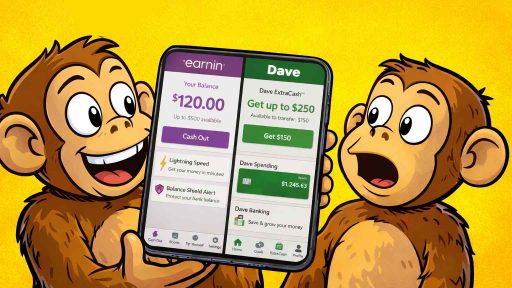
Hey! As all of you know, Dave is a great cash advance app that’s helped millions bridge the gap between paychecks or help when you are in a cash emergency. But here’s what most people don’t realize: Dave is just the beginning; it’s just one of multiple cash advance apps that there is in the ecosystem.
Since Dave popularized instant cash advances back in 2017, dozens of competitors have emerged—many offering higher limits, lower fees, and better features. While Dave caps advances at $500 and charges monthly membership fees plus service charges, alternatives like MoneyLion offer up to $1,000 with zero monthly fees. EarnIn lets you access $750 per pay period without any mandatory costs at all. Chime SpotMe provides up to $200 in completely free overdraft coverage, and just like that, the list continues.
I’ve spent the past three years testing over 30 apps like Dave, comparing everything from approval speeds to hidden costs. What I discovered surprised me: while Dave deserves credit for creating this category, it’s far from the best option available in 2026.
This comprehensive guide reveals the best apps like Dave, helping you find the perfect alternative for your situation. You’ll discover which apps offer the highest limits, which charge the lowest fees, and which provide the fastest funding—all based on real testing and user experience.
Whether you need $50 to cover gas until payday or $1,000 for an unexpected emergency, there’s an app like Dave that fits your needs better than Dave itself. Let’s dive in! is a great Cash Advance app; it provides a fast and reliable source of money for an emergency.
While Dave deserves credit for creating this category, it’s far from the best option available in 2026.
Understanding Cash Advance Apps Like Dave: What They Are and How They Work

Before diving into specific alternatives, let’s understand what similar cash advance apps actually do and why they’ve exploded in popularity.
Cash advance apps—including Dave and its alternatives—provide early access to money you’ve already earned but haven’t been paid yet. Think of them as bridges between paychecks rather than traditional loans. You’ve worked the hours; these apps just let you access those wages sooner. (Money from the future)
The Core Mechanics
All Cash Advance apps follow a similar process:
- Account Connection: You link your checking account (usually through Plaid or similar services) so the app can verify your income patterns.
- Income Verification: The app analyzes your direct deposits to confirm you have regular income. Most require 2-3 consecutive deposits before approving advances.
- Advance Approval: Based on your income stability, you’re approved for an advance limit—typically $50-$500, though some apps like Dave offer up to $1,000.
- Request Funds: When you need money, you request an advance through the app. Funds arrive in 1-3 business days (free) or instantly (for a fee).
- Automatic Repayment: On your next payday, the app automatically withdraws the advance amount from your connected account.
Why People Choose Cash Advance Apps Like Dave

The appeal is straightforward: AVOID EXPENSIVE FEES.
Consider the alternatives:
- Overdraft fees: Average $35 per occurrence at traditional banks
- Payday loans: Charge $15-$30 per $100 borrowed (300-400% APR)
- Late payment fees: $25-$40 per missed bill payment
- Credit card cash advances: 3-5% upfront fee plus 25-30% APR
Cash Advance Apps typically cost $0-$10 per advance, making them dramatically cheaper than these alternatives. That’s why over 33% of Americans now use at least one cash advance app.
Dave Overview: Understanding What You’re Comparing

Since we’re exploring similar cash advance apps like Dave, let’s establish what Dave offers as our baseline comparison.
Dave’s Key Features:
- Cash advances up to $500 (ExtraCash feature)
- $1 monthly membership fee
- Service fee of $5 or 5% per advance (up to $15)
- Requires Dave checking account for best features
- 1.5% fee for instant transfers to external accounts
- Standard delivery in 3-5 business days (free)

Dave’s Strengths:
- Relatively high advance limit ($500 maximum)
- Low monthly membership cost
- Integrated banking features
- Overdraft protection

Dave’s Limitations:
- Must open Dave checking account for full benefits
- Service fees add up quickly (can total $20+ monthly)
- Recent FTC scrutiny over hidden fees
- Lower limits than some competitors
Now let’s explore apps like Dave that might better suit your needs.
Let me break down the top alternatives to Dave, organized by what they do best.
Apps Like Dave with Higher Advance Limits

MoneyLion – Up to $1,000 Advances
MoneyLion stands out among apps like Dave for offering significantly higher advance limits. While Dave caps at $500, MoneyLion provides up to $1,000 through their Instacash feature—double Dave’s maximum.
- How it works: Connect your bank account with direct deposit. MoneyLion analyzes your income and spending patterns. Once approved, you can access advances instantly with no interest charges.
- Costs: No mandatory subscription for basic Instacash. Instant delivery fees range from $1.99-$8.99 depending on the amount. Standard delivery (1-3 business days) is free.
- Requirements: Bank account with direct deposit history. The more you use MoneyLion services (their RoarMoney account, credit builder loan, or investment account), the higher your advance limit grows.
- Who it’s best for: Users who need larger advances and are willing to use MoneyLion ‘s broader financial ecosystem.
- Key advantage over Dave: Double the maximum advance amount with no monthly membership fee required.

Tilt /(Formerly Empower) – Up to $250 Advances with Financial Planning
Tilt (formerly Empower, formerly Personal Capital) combines cash advances with comprehensive budgeting and wealth management tools, making it unique among apps like Dave.
- How it works: The Cash Advance feature works like Dave’s, but you also get automatic expense tracking, budgeting tools, and financial planning features that help you avoid needing advances in the first place.
- Costs: $8 monthly subscription covers all features, including advances, budgeting tools, and financial insights. No additional fees for standard delivery. Instant transfer costs $1.99-$4.99.
- Requirements: Checking account with regular direct deposits of at least $500 monthly.
- Who it’s best for: Users who want financial planning tools alongside emergency cash access.
- Key advantage over Dave: A comprehensive financial wellness platform that addresses why you need advances, not just providing the money.
Apps Like Dave with Zero Mandatory Fees
EarnIn – True “Pay What You Want” Model

EarnIn revolutionized the scene of cash advance apps by eliminating mandatory fees entirely. It’s one of the most popular Dave alternatives for this reason alone.
- How it works: EarnIn lets you access up to $150 per day or $750 per pay period based on hours worked. The app tracks your work location or integrates with your employer’s timesheet system to verify hours.
- Costs: Absolutely no mandatory fees. EarnIn asks for optional “tips” but never requires payment. Lightning Speed delivery costs $2.99-$5.99 for immediate access; standard delivery (1-3 days) is completely free.
- Requirements: Steady employment with consistent direct deposit. For best results, enable location tracking or connect through your employer’s system.
- Who it’s best for: Users who want the most transparent, lowest-cost option among apps like Dave.
- Key advantage over Dave: Zero mandatory fees—not even a monthly membership. You only pay if you choose to tip or need instant delivery.
Chime SpotMe – Free Overdraft Coverage

Chime’s SpotMe isn’t technically a cash advance like Dave, but it functions similarly by covering overdrafts up to $200 without fees. It deserves mention among apps like Dave for its zero-cost structure.
- How it works: Open a Chime checking account and set up direct deposit of $200+ monthly. Chime automatically covers overdrafts up to your SpotMe limit. The negative balance is repaid from your next deposit.
- Costs: Zero fees. No monthly membership, no transaction fees, no interest charges. Chime makes money from debit card interchange fees, not from you.
- Requirements: Chime checking account with qualifying direct deposits ($200+ monthly). SpotMe limits start at $20 and can increase to $200 based on account activity.
- Who it’s best for: People willing to switch to Chime as their primary bank for completely free overdraft protection.
- Key advantage over Dave: Absolutely no costs whatsoever, and you never “request” an advance—it just works automatically when you need it.
Apps Like Dave for Gig Workers and Irregular Income
Branch – Best for Hourly and Gig Workers

Branch differentiates itself among apps like Dave by specializing in workers with variable schedules and income streams.
- How it works: Branch partners directly with employers and integrates with scheduling systems. You can access money for hours you’ve already worked but haven’t been paid for yet. It also works for gig workers by analyzing income from platforms like Uber, DoorDash, and Instacart.
- Costs: Free for employer-sponsored accounts. For individual users, small fees apply ($1-5 per advance depending on amount and delivery speed).
- Requirements: Employment with a Branch partner company, OR verification of gig economy income through connected accounts.
- Who it’s best for: Hourly workers, gig economy workers, and anyone with irregular income that makes traditional apps like Dave difficult to qualify for.
- Key advantage over Dave: Works with irregular income patterns and offers same-day access to money for hours already worked.
Brigit – Flexible for Varied Income Patterns

Brigit positions itself as one of the most accessible apps like Dave for people with less stable income.
- How it works: Brigit uses AI to predict when you’ll need money based on your spending patterns. It can provide advances of $50-$250, depending on your financial profile.
- Costs: $9.99 monthly subscription includes advance access, budgeting tools, credit monitoring, and financial health insights. No additional per-transaction fees.
- Requirements: Active checking account with at least some direct deposit history. Brigit is more forgiving of irregular income than most apps like Dave.
- Who it’s best for: Users with inconsistent income who want proactive financial monitoring alongside advance access.
- Key advantage over Dave: More flexible approval for irregular income, plus Brigit automatically monitors your account and suggests advances before you run out of money.
Apps Like Dave That Build Credit
Possible Finance – Advances That Improve Credit Scores

Possible takes a unique approach among apps like Dave by reporting your advances to credit bureaus as installment loans, helping you build credit with each successful repayment.
- How it works: Rather than one-time advances, Possible provides small installment loans ($50-$500) that you repay over 2-4 pay periods. These payments are reported to credit bureaus, building your credit history.
- Costs: $3-$15 per loan depending on amount and term. Higher than free options, but you’re paying for credit-building benefits.
- Requirements: Checking account with steady income. No minimum credit score required—they approve people with bad or no credit.
- Who it’s best for: Users who want to rebuild credit while accessing emergency funds.
- Key advantage over Dave: Every loan you take and repay successfully improves your credit score. Dave doesn’t report to credit bureaus at all.
Self – Credit Builder with Cash Access

Self offers credit builder accounts that also provide emergency cash access, creating a hybrid product among apps like Dave.
- How it works: You make small monthly payments into a secured account. These payments are reported to credit bureaus. After several months, you can access a portion of your saved funds as a cash advance.
- Costs: $25-$150 account setup fee plus small monthly payments ($25-$150). More expensive than typical apps like Dave, but serves dual purposes.
- Requirements: No minimum credit score. Just ability to make monthly payments.
- Who it’s best for: Users primarily focused on building credit but who also occasionally need emergency cash.
- Key advantage over Dave: Builds credit while providing a forced savings mechanism that creates a real emergency fund over time.
Apps Like Dave Comparison Table
Here’s a quick-reference comparison of the best Dave alternatives:
| App | Max Advance | Monthly Fee | Per-Transaction Fee | Instant Transfer | Best For |
|---|---|---|---|---|---|
| Dave | $500 | $1 | $5 or 5% (up to $15) | $1.99-$13.99 | Baseline comparison |
| MoneyLion | $1,000 | $0 | $0 | $1.99-$8.99 | Highest limits |
| EarnIn | $750/period | $0 | $0 (tips optional) | $2.99-$5.99 | Zero mandatory fees |
| Chime SpotMe | $200 | $0 | $0 | Automatic | Completely free |
| Brigit | $250 | $9.99 | $0 | Included | Irregular income |
| Branch | Varies | $0-$5 | $1-$5 | $1-$5 | Gig workers |
| Tilt | $250 | $8 | $0 | $1.99-$4.99 | Financial planning |
| Possible | $500 | $0 | $3-$15 | N/A | Credit building |
How to Choose the Right Apps Like Dave for Your Situation

With so many apps like Dave available, selecting the right one depends on your specific needs and financial situation.
Decision Framework: Finding Your Best Dave Alternative
Step 1: Assess Your Advance Need Frequency
- If you need advances rarely (once every few months): Choose apps like Dave with zero monthly fees—EarnIn or MoneyLion. You’ll only pay when you actually need money.
- If you need advances occasionally (1-2 times monthly): Calculate whether per-transaction fees or monthly subscriptions cost less at your usage rate. Often, free apps still win.
- If you need advances frequently (3+ times monthly): Subscription models like Brigit ($9.99/month) or Empower ($8/month) spread costs more efficiently. But also ask yourself: if you need advances this often, are you masking a deeper budget problem?
Step 2: Determine Your Maximum Advance Requirement
- If you typically need $50-$100: Most apps like Dave work fine. Focus on minimizing fees rather than maximum limits.
- If you need $100-$500: Standard apps like Dave work, but consider higher-limit options like MoneyLion or EarnIn for more flexibility.
- If you need $500+: MoneyLion is your best bet among apps like Dave, offering up to $1,000 advances.
Step 3: Evaluate Your Income Pattern
- Regular W-2 employee with consistent direct deposit: All apps like Dave work well. Choose based on fees and features.
- Gig worker or variable income: Prioritize Branch or Brigit—they’re designed for irregular income patterns unlike traditional apps like Dave.
- Multiple income streams: Look for apps that can analyze multiple accounts or income sources.
Step 4: Consider Your Banking Situation
- Have a traditional checking account: All apps like Dave are available to you.
- Willing to switch banks: Chime SpotMe offers the best zero-cost solution if you’re comfortable moving your banking there.
- Want to keep your current bank: Stick with external apps like Dave, EarnIn, MoneyLion, or Brigit that don’t require account switching.
- Want credit building: Choose Possible or Self over standard apps like Dave.
- Need budgeting tools: Empower or Brigit provides comprehensive financial planning alongside advances.
Step 5: Identify Additional Needs
- Just want emergency cash: Stick with simple apps like Dave, EarnIn, or MoneyLion that focus solely on advances.
Red Flags: When Apps Like Dave Aren’t the Answer
Sometimes the solution isn’t finding better apps like Dave—it’s addressing the underlying problem. Warning signs that advances aren’t helping:
You take advances every single pay period: This indicates structural budget problems, not temporary emergencies. Apps like Dave can’t fix income-expense mismatches.
Your advance amounts keep increasing: Gradually maxing out limits suggests dependency rather than occasional need.
You use multiple apps simultaneously: This is a major red flag. If one app’s limit isn’t enough, you’re overstretching beyond what you’ve actually earned.
Advance repayments cause other bills to go unpaid: You’re just shifting which bill gets missed, not solving the cash flow problem.
You’re taking advances for discretionary spending: Apps like Dave are emergency tools, not lifestyle funding mechanisms.
If any of these describe you, focus on creating a real emergency fund ($500-1,000 to start) and addressing budget fundamentals rather than comparing apps like Dave.
Smart Strategies for Using Apps Like Dave Responsibly

If you do use cash advance apps, these strategies maximize benefits while minimizing costs and risks.
Strategy 1: Always Choose Standard Delivery When Possible
The single biggest cost mistake with apps like Dave? Paying for instant delivery when you don’t actually need it.
The math: A $3.99 instant fee on a $100 advance costs 4%. Over a two-week period, that’s equivalent to 104% APR. Standard delivery is free and arrives in 1-3 business days.
Action step: Request advances 3-5 days before you need the money. Use standard delivery. Save $3-8 per advance.
Exception: Only pay for instant delivery when avoiding a specific, larger fee (like a $35 overdraft or $40 late payment).
Strategy 2: Resist Tipping Pressure on “Free” Apps
Apps like Dave often use psychological tactics to encourage “voluntary” tips. EarnIn and similar apps show what percentage of users tip, use defaults that favor tipping, and send messages about “sustainability.”
Reality check: Research shows 60-70% of users tip on “free” apps, with median tips of $3-5. That’s comparable to mandatory fees on paid apps.
Action step: Remember that tipping is genuinely optional. If you tip every time, you’re paying the same as mandatory-fee apps. Tip occasionally if you value the service, but don’t feel obligated every transaction.
Strategy 3: Use Advances to Break Expensive Cycles
The best use of apps like Dave? Breaking cycles of expensive fees that cost more than the advance itself.
Smart use example: Your rent check is about to bounce (triggering a $35 NSF fee plus potential late fees and landlord problems). Taking a $200 advance with a $5 fee saves you $30+ while preventing cascading problems.
Poor use example: Taking a $100 advance with $5 instant fee to go out to dinner when you have food at home. You’re paying 5% for convenience, not avoiding a larger problem.
Action step: Before requesting an advance, calculate what specific cost you’re avoiding. If the advance fee is less than that cost, it makes sense. If not, find another solution.
Strategy 4: Create a “Exit Plan” from Advance Dependency
If you’re using apps like Dave regularly, create a specific plan to eliminate that need.
Month 1-2: Track every expense to understand where money actually goes. Most people discover $100-300 in spending they didn’t realize was happening.
Month 3-4: Redirect one identified expense ($50-100) into a dedicated emergency fund. Keep using advances as needed but start building a buffer.
Month 5-6: Your emergency fund now covers what small advances used to cover. Use apps like Dave less frequently.
Month 7-12: Continue building emergency fund to $500-1,000. Advances become truly rare—only for genuinely unexpected expenses.
Action step: Set a specific date by which you want to stop needing apps like Dave regularly. Work backward to create monthly milestones.
Strategy 5: Never Use Multiple Apps to Exceed Safe Limits
Using multiple apps like Dave simultaneously to access more money than any single app allows is dangerous financial territory.
Why it’s harmful: Apps set limits based on what portion of your paycheck you can safely advance. Using multiple apps means you’re advancing more than you’ve earned, not just accessing it early.
The trap: With three apps providing $200 each, you could access $600—but your paycheck might only be $1,200. After repayment, you’re left with $600 to cover a full pay period of expenses. This almost guarantees you’ll need more advances, creating a debt-like cycle.
Action step: Use only one primary app among apps like Dave. Have a backup app for rare situations where you need more than your primary limit, but never actively use both simultaneously.
Frequently Asked Questions About Apps Like Dave
Are Cash Advance apps actually better than payday loans?
Yes, dramatically better in almost every scenario.
Payday loans typically charge $15-$30 per $100 borrowed for two-week terms, which translates to 300-400% APR when annualized.
Cash Advance Apps like Dave charge $0-$10 per $100 advanced, resulting in effective APRs of 0-130% even when including instant transfer fees. Beyond cost, cash advance apps differ structurally from payday loans—you’re accessing wages you’ve already earned rather than borrowing money you haven’t earned yet, which makes them less risky from a debt perspective.
Apps also don’t pursue aggressive collections, report to credit bureaus, or trap users in rollover cycles the way payday lenders do.
That said, Cash Advance Apps can still create dependency cycles if misused, and they’re not “free money”—they reduce your next paycheck by the advance amount, which can create cash flow challenges if not managed carefully.
Can I use multiple apps like Dave at the same time?
Technically you can, but this is almost always a terrible idea that signals you’re overstretching your finances dangerously.
Apps like Dave set your advance limit based on what portion of your paycheck can be safely advanced while leaving you enough to cover essential expenses.
When you use multiple apps simultaneously—say, $200 from EarnIn, $250 from Brigit, and $300 from MoneyLion—you’re suddenly advancing $750 when each app individually determined a smaller amount was safe. This means your next paycheck will be reduced by $750 all at once, making it nearly impossible to cover normal bills without taking more advances.
You’ve created the exact debt cycle that apps like Dave are supposed to help you avoid. The only legitimate scenario for having multiple apps is keeping one as an unused backup for rare situations where your primary app’s limit is insufficient for a true emergency—but you should never actively use multiple apps like Dave regularly. If one app’s limit isn’t enough for your routine needs, that’s a red flag that you need to address underlying budget problems, not find more ways to access money you haven’t been paid yet.
Do apps like Dave affect my credit score?
Answer: Most apps like Dave don’t affect your credit score at all—neither positively through successful repayments nor negatively through defaults.
The majority of cash advance apps don’t report to credit bureaus, which creates a double-edged sword. On the positive side, using apps like Dave won’t hurt your credit score even if you have poor credit or if you fail to repay an advance (though you’ll lose app access). You also don’t need good credit to qualify since they’re not performing credit checks.
On the negative side, responsible use of apps like Dave won’t help rebuild your credit score since the bureaus never hear about your successful repayments. There are exceptions: hybrid apps like Possible Finance specifically market themselves as credit-building alternatives to standard apps like Dave, structuring advances as small installment loans that are reported to credit bureaus. These help build credit but typically cost more than regular cash advance apps. If your primary goal is credit building, look for apps that explicitly advertise credit bureau reporting. If you just need emergency cash and aren’t focused on credit, standard apps like Dave work fine and won’t impact your score either way.
What happens if I can’t repay an advance from apps like Dave?
Answer: The consequences of non-repayment vary by app but are generally less severe than traditional loan defaults. When apps like Dave attempt automatic withdrawal on your payday and find insufficient funds, several things typically happen: First, your ability to request new advances is immediately suspended. Second, the app will retry withdrawal 1-3 more times over several days, which could trigger bank NSF or overdraft fees ($35 each) if your account remains empty. Third, you’ll receive notifications and possibly calls requesting repayment. After about 7-30 days of non-payment, most apps like Dave permanently close your account. What typically does NOT happen: credit bureau reporting (most apps don’t report at all), aggressive collections or harassment (apps are much less aggressive than traditional debt collectors), legal action or wage garnishment (apps rarely sue for small balances under $500), and criminal charges (unpaid advances are civil matters, not criminal). Some apps may sell unpaid balances to collections agencies, who might be more aggressive and could potentially report to credit bureaus, though this is uncommon. The practical outcome: you lose access to that app permanently, may owe some bank fees from failed withdrawal attempts, and might receive collection attempts, but you’re unlikely to face serious legal consequences. However, this shouldn’t encourage non-payment—the ethical and practical approach is to communicate with the app if you’re struggling, as many have hardship programs or payment plans available.
How do apps like Dave make money if they claim to be free or charge such low fees?
Answer: Apps like Dave have multiple revenue streams that allow them to appear “free” or low-cost while remaining profitable businesses. Understanding these helps you recognize where the real costs might be hiding.
– First, subscription fees: Even at just $1-10 monthly, when multiplied by millions of users, apps like Dave generate substantial recurring revenue.
– Second, per-transaction fees: Flat fees of $3-15 per advance add up quickly across millions of transactions monthly.
– Third, expedited transfer fees: This is often the biggest money-maker for apps like Dave—charging $2-8 for instant delivery when the actual cost to process is pennies. The 70-90% profit margins on instant transfers are significant.
– Fourth, voluntary tips: Despite being “optional,” research shows 60-70% of users tip on apps like EarnIn and similar platforms, with median tips of $3-5 that rival mandatory fees.
– Fifth, data monetization: Apps like Dave collect extensive financial data through bank account connections, which has value for internal risk assessment, anonymized sale to research firms, and targeted product recommendations.
– Sixth, cross-selling: Many apps offer or partner on additional services like personal loans, credit cards, investment accounts, or checking accounts, earning affiliate commissions or fees from these products.
– Seventh, employer fees: Workplace-integrated alternatives to Dave often charge employers $3-8 per employee monthly while appearing “free” to workers.
The bottom line: truly “free” apps still have viable business models—they’re just monetizing through data and cross-selling rather than explicit user fees.
The Bottom Line on Apps Like Dave
The proliferation of apps like Dave represents a genuine improvement in how Americans handle short-term cash needs. These platforms provide dramatically cheaper alternatives to overdraft fees, payday loans, and late payment penalties—saving users hundreds or thousands of dollars annually when used appropriately.
The key word is “appropriately.” Apps like Dave work best as occasional bridges for genuine emergencies: covering an unexpected car repair, avoiding an overdraft fee, or paying a critical bill when your paycheck timing doesn’t align. They work poorly as permanent fixtures in your regular cash flow, substitutes for budgeting, or band-aids over structural income-expense problems.
If you’re going to use apps like Dave, follow these principles:
- Choose based on your specific situation: Not all apps like Dave are created equal. Match the app to your income pattern, advance needs, and cost tolerance.
- Minimize costs relentlessly: Use standard delivery instead of instant transfers whenever possible. Resist tipping pressure on “free” apps. Calculate actual costs before assuming something is cheap.
- Plan your exit: If you’re using apps like Dave regularly, create a specific timeline for building an actual emergency fund that eliminates the need for advances.
- Never use multiple apps simultaneously: This signals dangerous overstretching and creates cycles remarkably similar to the payday loan traps these apps claim to replace.
- Address root causes: If advances become necessary every single pay period, the problem isn’t timing—it’s that expenses exceed income. Apps like Dave can’t fix that fundamental imbalance.
The best alternative to Dave might not be another app at all—it might be the $500-1,000 emergency fund you build over the next 6-12 months by redirecting the money you’d spend on advance fees. That fund provides the same cash flow buffer without repayment obligations, fees, or dependency risk.
But if you’re not there yet, choosing the right app among the many alternatives to Dave can save you significant money while you work toward that goal. Use this guide to select wisely, use sparingly, and plan your path to financial stability where apps like Dave become unnecessary rather than essential.

About the Author
Felipe is a finance and business professional with hands-on experience in credit analysis, sales strategy, and financial decision-making.
He created Monkey Money Blog to help readers understand how credit systems, financial products, and investing structures actually work — beyond marketing language and surface-level advice.